


























OpenAI Lockdown Mode is rolling out beyond enterprise plans, giving personal ChatGPT users a stricter way to work with sensitive data when connected tools feel too risky.
OpenAI says the setting is now rolling out to personal ChatGPT accounts and self-serve ChatGPT Business accounts. Users who see it can turn it on from Settings > Security.
The feature targets prompt-injection risk. That is the attack class where malicious instructions hidden in a webpage, file, email, or connected app try to steer an AI assistant into leaking information or taking the wrong action.
What Lockdown Mode turns off
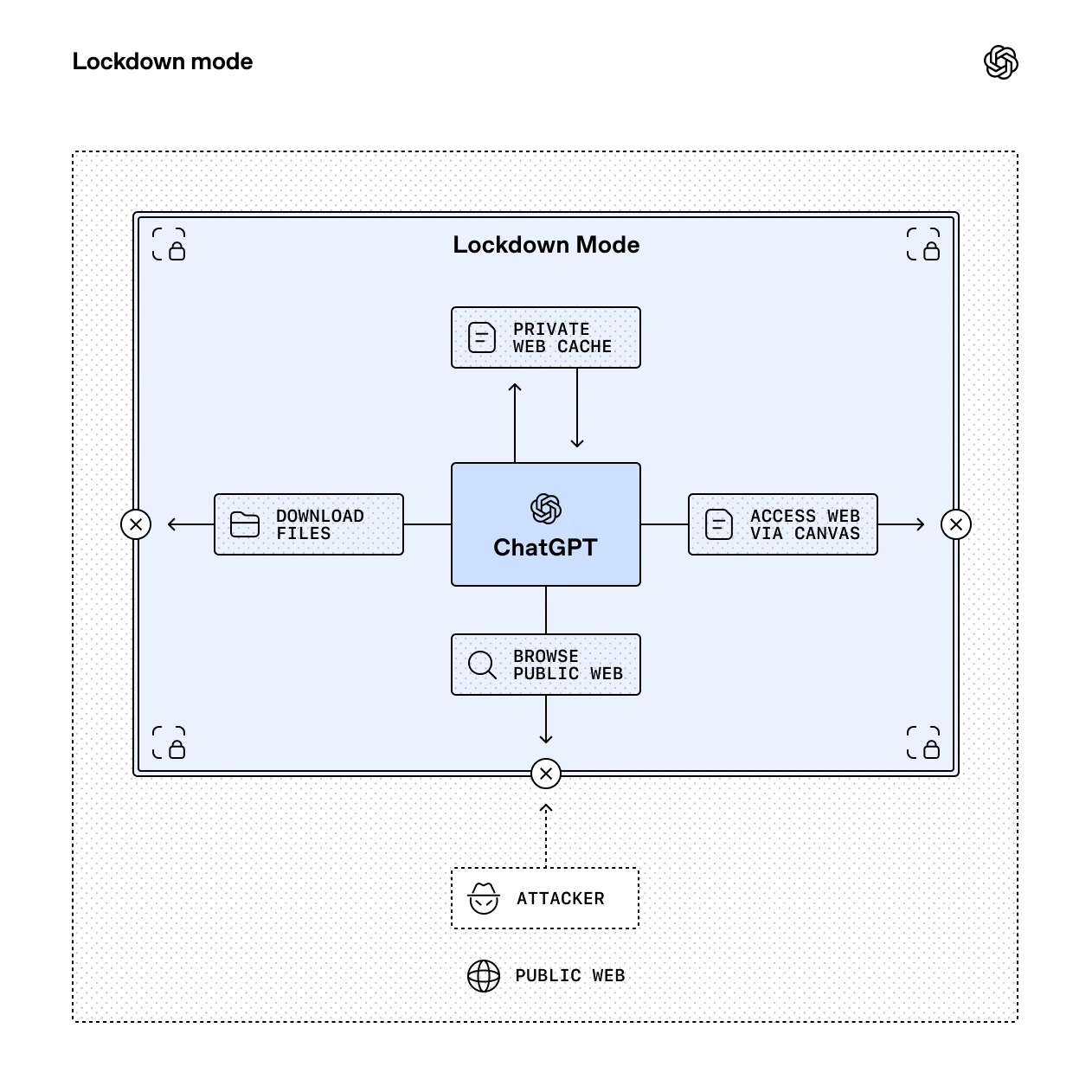
Lockdown Mode trades convenience for tighter boundaries. OpenAI says it limits or disables live web access, image support in regular responses, Deep Research including shopping research, Agent Mode, Canvas networking, live connectors, and file downloads.
The point is not to stop every malicious instruction from reaching ChatGPT. Instead, the setting tries to reduce the outbound paths that could let sensitive data leave the conversation after a prompt-injection attempt.
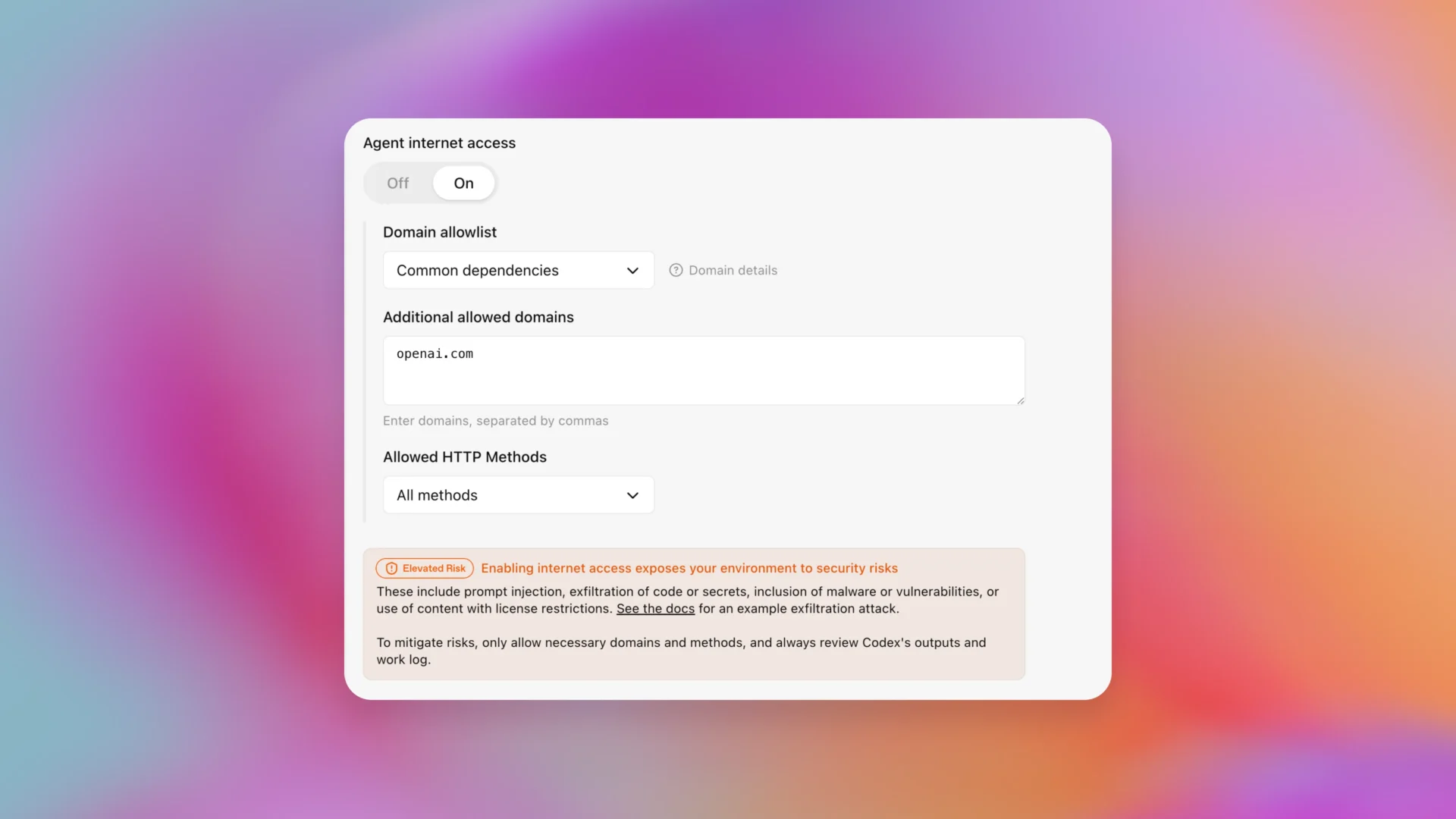
OpenAI’s Help Center adds an important caveat: Lockdown Mode does not change memory, file uploads, conversation sharing, training controls, or network access in Codex. It also does not guarantee that every data-exfiltration path disappears.
Why the labels matter
OpenAI is also standardizing “Elevated Risk” labels for certain capabilities across ChatGPT, ChatGPT Atlas, and Codex. Those labels appear where network access or connected features can add security exposure.
The timing is notable because OpenAI keeps pushing ChatGPT into more personal and connected workflows. Tech My Money recently covered how ChatGPT memory is becoming more personal, and that makes clear controls more important.
For most users, this will be a setting to leave off until a sensitive task requires it. For journalists, executives, security teams, lawyers, and anyone handling confidential material, it gives ChatGPT a more conservative operating mode without turning the whole product off.